Lets make a React Native Host Component
They say if you really wanna know how React Native works then make a host component. So that is the task for the day.

I’ll be following the offical guide on making the Host Component by making a native webview and make it available to react native.
Set up
Step one is to create the package. I’m calling my host component as MyWebView
npx @react-native-community/cli@latest init MyWebView --version 0.83
.
├── __tests__
├── android
├── app.json
├── App.tsx
├── babel.config.js
├── Gemfile
├── index.js
├── ios
├── jest.config.js
├── metro.config.js
├── node_modules
├── package-lock.json
├── package.json
├── README.md
└── tsconfig.json
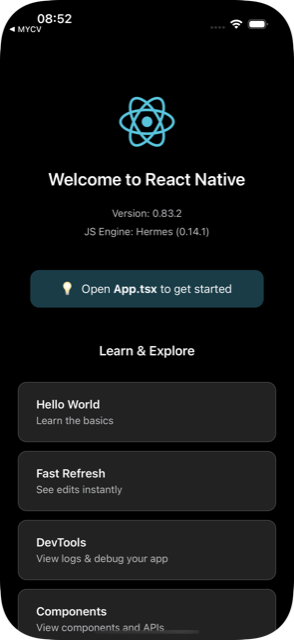
So far this looks a lot like any other react native project that you can actually build and run.
The real difference comes when we configure the codegen by updating the package.json
  "codegenConfig": {
    "name": "AppSpec",
    "type": "components",
    "jsSrcsDir": "specs",
    "android": {
      "javaPackageName": "com.webview"
    },
    "ios": {
      "componentProvider": {
        "MyWebView": "RCTWebView"
      }
    }
  }
and create our spec WebViewNativeComponent.ts in a specs directory at the root level.
mkdir specs
touch specs/WebViewNativeComponent.ts
import type {
  CodegenTypes,
  HostComponent,
  ViewProps,
} from 'react-native';
import { codegenNativeComponent } from 'react-native';

type WebViewScriptLoadedEvent = {
  result: 'success' | 'error';
};

export interface NativeProps extends ViewProps {
  sourceURL?: string;
  onScriptLoaded?: CodegenTypes.BubblingEventHandler<WebViewScriptLoadedEvent> | null;
}

export default codegenNativeComponent<NativeProps>(
  'MyWebView',
) as HostComponent<NativeProps>;
This spec is what is then used by the React Native to generate all the boilerplate code. If all goes well then we would have a component called MyWebView with two props a sourceURL and a callback onScriptLoaded
<WebView
  sourceURL={url}
  onScriptLoaded={() => Alert.alert('Done!')}
/>
iOS implementation
To get started with iOS we need to run the pod install
cd ios
bundle install
bundle exec pod install
And then open the generated Xcode workspace and run the app.
In the terminal I can see that the Codegen generating all of the glue code
[Codegen] Generating Native Code for AppSpec - ios
[Codegen] Generated artifacts: MyWebView/ios/build/generated/ios/ReactCodegen
...
And at the end this is what it generated:
build/generated/ios
├── Package.swift
├── ReactAppDependencyProvider
│   ├── RCTAppDependencyProvider.h
│   ├── RCTAppDependencyProvider.mm
│   └── ReactAppDependencyProvider.podspec
└── ReactCodegen
    ├── RCTModuleProviders.h
    ├── RCTModuleProviders.mm
    ├── RCTModulesConformingToProtocolsProvider.h
    ├── RCTModulesConformingToProtocolsProvider.mm
    ├── RCTThirdPartyComponentsProvider.h
    ├── RCTThirdPartyComponentsProvider.mm
    ├── RCTUnstableModulesRequiringMainQueueSetupProvider.h
    ├── RCTUnstableModulesRequiringMainQueueSetupProvider.mm
    ├── react
    │   └── renderer
    ├── ReactCodegen.podspec
    ├── safeareacontext
    │   ├── safeareacontext-generated.mm
    │   └── safeareacontext.h
    └── safeareacontextJSI.h
And finally the renderer directory is where the real good stuff is:
build/generated/ios/ReactCodegen/react/renderer
└── components
    ├── AppSpec
    │   ├── ComponentDescriptors.cpp
    │   ├── ComponentDescriptors.h
    │   ├── EventEmitters.cpp
    │   ├── EventEmitters.h
    │   ├── Props.cpp
    │   ├── Props.h
    │   ├── RCTComponentViewHelpers.h
    │   ├── ShadowNodes.cpp
    │   ├── ShadowNodes.h
    │   ├── States.cpp
    │   └── States.h
    └── safeareacontext
        └── ...
That is a lot of boilerplate code!
Finally within the Xcode project we need to add the iOS implementation in regular Objective-C++. With the public interface as:
#import <React/RCTViewComponentView.h>
#import <UIKit/UIKit.h>

@interface RCTWebView : RCTViewComponentView

@end
Add then in the class extension we need to import the generated code
#import <Foundation/Foundation.h>
#import <react/renderer/components/AppSpec/ComponentDescriptors.h>
#import <react/renderer/components/AppSpec/EventEmitters.h>
#import <react/renderer/components/AppSpec/Props.h>
#import <react/renderer/components/AppSpec/RCTComponentViewHelpers.h>
#import <WebKit/WebKit.h>

@interface RCTWebView () <RCTMyWebViewViewProtocol, WKNavigationDelegate> {
  WKWebView *_webView;
  NSURL *_sourceURL;
}
@end
The implementation is a straightforward wrapper of WKWebView where the frame is being set by it’s parent. So we fill all the available space
@implementation RCTWebView

- (instancetype)init {
  self = [super init];
  if (self) {
    _webView = [[WKWebView alloc] init];
    [_webView setNavigationDelegate:self];
    [self addSubview:_webView];
  }
  return self;
}

- (void)layoutSubviews {
  [super layoutSubviews];
  [_webView setFrame:[self bounds]];
}

// ...
@end
To hook back to the react native we need to provide ComponentDescriptorProvider as a class method generate by the CodeGen
@implementation RCTWebView

// ...

+ (ComponentDescriptorProvider)componentDescriptorProvider {
  return concreteComponentDescriptorProvider<MyWebViewComponentDescriptor>();
}

@end
Next we need to handle the props by first downcasting to generated types and then reading the data from them. In our case the sourceURL and pass that information to the underlying WKWebView
using namespace facebook::react;

@implementation RCTWebView

// ...

- (void)updateProps:(const Props::Shared &)props
           oldProps:(const Props::Shared &)oldProps {

  const auto &oldViewProps = static_cast<const MyWebViewProps &>(*_props);
  const auto &newViewProps = static_cast<const MyWebViewProps &>(*props);

  if (oldViewProps.sourceURL != newViewProps.sourceURL) {
    NSString *urlString = [NSString stringWithCString:newViewProps.sourceURL.c_str()
                                             encoding:NSUTF8StringEncoding];
    _sourceURL = [NSURL URLWithString:urlString];
    [_webView loadRequest:[NSURLRequest requestWithURL:_sourceURL]];
  }

  [super updateProps:props oldProps:oldProps];
}

@end
Next is the callback, where we listen to the WKNavigationDelegate method didFinishNavigation and again by downcasting the _eventEmitter we invoke the generate onScriptLoaded
@implementation RCTWebView

// ...

#pragma mark - WKNavigationDelegate

- (void)webView:(WKWebView *)webView didFinishNavigation:(WKNavigation *)navigation {
  auto result = MyWebViewEventEmitter::OnScriptLoaded {
    MyWebViewEventEmitter::OnScriptLoadedResult::Success
  };

  auto eventEmitter = static_cast<const MyWebViewEventEmitter &>(*_eventEmitter);
  eventEmitter.onScriptLoaded(result);
}

@end
In case you’re wondering the generated onScriptLoaded function looks like this:
void MyWebViewEventEmitter::onScriptLoaded(OnScriptLoaded event) const {
  dispatchEvent("scriptLoaded", [event=std::move(event)](jsi::Runtime &runtime) {
    auto payload = jsi::Object(runtime);
    payload.setProperty(runtime, "result", toString(event.result));
    return payload;
  });
}
App
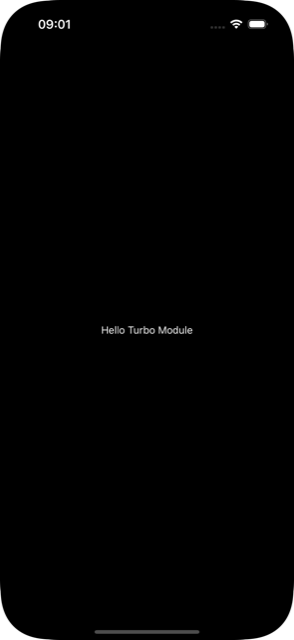
Back to the React Native side of things I cleaned up all of the start up code to have a simple home screen
function App() {
  const isDarkMode = useColorScheme() === 'dark';

  return (
    <SafeAreaProvider>
      <StatusBar barStyle={isDarkMode ? 'light-content' : 'dark-content'} />
      <AppContent />
    </SafeAreaProvider>
  );
}

function AppContent() {
  const safeAreaInsets = useSafeAreaInsets();

  return (
    <View style={styles.container}>
      <HomeScreen safeAreaInsets={safeAreaInsets} />
    </View>
  );
}

type HomeScreenProps = {
  safeAreaInsets: EdgeInsets;
};

function HomeScreen({ safeAreaInsets }: HomeScreenProps) {
  return (
    <View
      style={[
        styles.container,
        {
          paddingTop: safeAreaInsets.top,
          paddingBottom: safeAreaInsets.bottom,
        },
      ]}
    >

    </View>
  );
}

const styles = StyleSheet.create({
  container: {
    flex: 1,
    justifyContent: 'center',
    alignItems: 'center',
  },
  text: {
    color: '#fff',
  },
});

export default App;
And finally add our beautiful MyWebView component
function HomeScreen({ safeAreaInsets }: HomeScreenProps) {
  return (
    <View
      style={[
        styles.container,
        {
          paddingTop: safeAreaInsets.top,
          paddingBottom: safeAreaInsets.bottom,
        },
      ]}
    >
      <MyWebView
        style={styles.content}
        sourceURL="https://whackylabs.com/"
        onScriptLoaded={() => Alert.alert('Done!')}
      />
    </View>
  );
}

const styles = StyleSheet.create({
  container: {
    flex: 1,
    justifyContent: 'center',
    alignContent: 'center',
  },
  content: {
    width: '100%',
    height: '100%',
  },
});
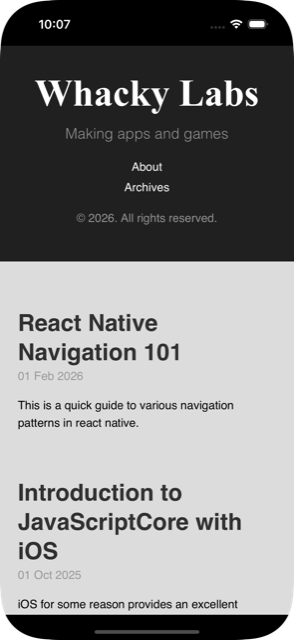
And voila! It’s alive!
Android implementation
To get the same thing running on Android we need to switch the android directory and generate boilerplate code
cd android
./gradlew generateCodegenArtifactsFromSchema
For some reason I was getting weird error with Java 21 but falling back Java 17 worked!
tree app/build/generated/source/codegen
app/build/generated/source/codegen
├── java
│   └── com
│       └── facebook
│           └── react
│               └── viewmanagers
│                   ├── MyWebViewManagerDelegate.java
│                   └── MyWebViewManagerInterface.java
├── jni
│   ├── AppSpec-generated.cpp
│   ├── AppSpec.h
│   ├── CMakeLists.txt
│   └── react
│       └── renderer
│           └── components
│               └── AppSpec
│                   ├── AppSpecJSI.h
│                   ├── ComponentDescriptors.cpp
│                   ├── ComponentDescriptors.h
│                   ├── EventEmitters.cpp
│                   ├── EventEmitters.h
│                   ├── Props.cpp
│                   ├── Props.h
│                   ├── ShadowNodes.cpp
│                   ├── ShadowNodes.h
│                   ├── States.cpp
│                   └── States.h
└── schema.json
Then the implementation part is almost the same but with less C++ and less generated boilerplate
class ReactWebView : WebView {
  constructor(context: Context) : super(context) {
    configureComponent()
  }

  constructor(context: Context, attrs: AttributeSet?) : super(context, attrs) {
    configureComponent()
  }

  constructor(context: Context, attrs: AttributeSet?, defStyleAttr: Int)
      : super(context, attrs, defStyleAttr) {
    configureComponent()
  }

  private fun configureComponent() {
    this.layoutParams = LayoutParams(LayoutParams.MATCH_PARENT, LayoutParams.MATCH_PARENT)
    this.webViewClient = object : WebViewClient() {
      override fun onPageFinished(view: WebView, url: String) {
        emitOnScriptLoaded(OnScriptLoadedEventResult.success)
      }
    }
  }

  fun emitOnScriptLoaded(result: OnScriptLoadedEventResult) {
    val reactContext = context as ReactContext
    val surfaceId = UIManagerHelper.getSurfaceId(reactContext)
    val eventDispatcher = UIManagerHelper.getEventDispatcherForReactTag(reactContext, id)
    val payload = Arguments.createMap().apply {
      putString("result", result.name)
    }
    val event = OnScriptLoadedEvent(surfaceId, id, payload)

    eventDispatcher?.dispatchEvent(event)
  }

  enum class OnScriptLoadedEventResult {
    success,
    error;
  }

  inner class OnScriptLoadedEvent(
    surfaceId: Int,
    viewId: Int,
    private val payload: WritableMap
  ) : Event<OnScriptLoadedEvent>(surfaceId, viewId) {
    override fun getEventName() = "onScriptLoaded"
    override fun getEventData() = payload
  }
}
And a manager class to create and manage ReactWebView instance
@ReactModule(name = ReactWebViewManager.REACT_CLASS)
class ReactWebViewManager(context: ReactApplicationContext) : SimpleViewManager<ReactWebView>(),
  MyWebViewManagerInterface<ReactWebView> {
  private val delegate: MyWebViewManagerDelegate<ReactWebView, ReactWebViewManager> =
    MyWebViewManagerDelegate(this)

  override fun getDelegate(): ViewManagerDelegate<ReactWebView> = delegate

  override fun getName(): String = REACT_CLASS

  override fun createViewInstance(context: ThemedReactContext): ReactWebView = ReactWebView(context)

  @ReactProp(name = "sourceUrl")
  override fun setSourceURL(view: ReactWebView, sourceURL: String?) {
    if (sourceURL == null) {
      view.emitOnScriptLoaded(ReactWebView.OnScriptLoadedEventResult.error)
      return;
    }
    view.loadUrl(sourceURL, emptyMap())
  }

  companion object {
    const val REACT_CLASS = "MyWebView"
  }

  override fun getExportedCustomBubblingEventTypeConstants(): Map<String, Any> =
    mapOf(
      "onScriptLoaded" to
          mapOf(
            "phasedRegistrationNames" to
                mapOf(
                  "bubbled" to "onScriptLoaded",
                  "captured" to "onScriptLoadedCapture"
                )
          )
    )
}
Then there is a package that glues the Android to ReactNative system
class ReactWebViewPackage : BaseReactPackage() {
  override fun createViewManagers(reactContext: ReactApplicationContext): List<ViewManager<*, *>> {
    return listOf(ReactWebViewManager(reactContext))
  }

  override fun getModule(
    s: String,
    reactApplicationContext: ReactApplicationContext
  ): NativeModule? {
    when (s) {
      ReactWebViewManager.REACT_CLASS -> ReactWebViewManager(reactApplicationContext)
    }
    return null
  }

  override fun getReactModuleInfoProvider(): ReactModuleInfoProvider = ReactModuleInfoProvider {
    mapOf(
      ReactWebViewManager.REACT_CLASS to ReactModuleInfo(
        name = ReactWebViewManager.REACT_CLASS,
        className = ReactWebViewManager.REACT_CLASS,
        canOverrideExistingModule = false,
        needsEagerInit = false,
        isCxxModule = false,
        isTurboModule = true,
      )
    )
  }
}
And finally we register our package
class MainApplication : Application(), ReactApplication {

  override val reactHost: ReactHost by lazy {
    getDefaultReactHost(
      context = applicationContext,
      packageList =
        PackageList(this).packages.apply {
          // Packages that cannot be autolinked yet can be added manually here:
          add(ReactWebViewPackage())
        },
    )
  }

  // ...

}
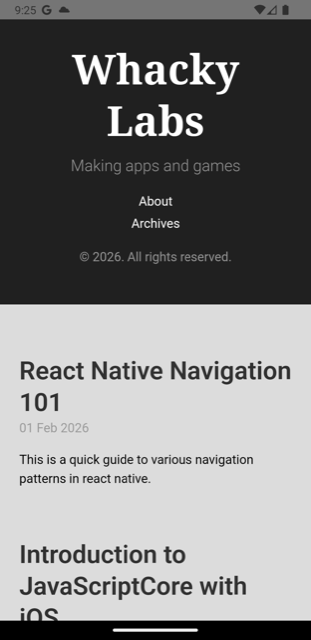
And we have our android web view available in React native